Book coworking without leaving the chat.
Connect Desky to Claude or ChatGPT and ask for spaces by city, date and number of people. You see photos, availability and the total, and you confirm on Desky.
Connect to my assistantFind a coworking space in Mexico City for tomorrow, for 3 people.


From question to booking, in three steps
Your assistant searches Desky's inventory in real time. You decide and confirm.
Connect Desky
Add it once to your assistant with the server URL. No account needed.
Ask for what you need
Write as you would to a person: where, when and for how many.
Confirm on Desky
It gives you a link to desky.la with everything filled in. You see the total and confirm there.
Write as you would to a person.
Desky understands cities, neighborhoods, dates, number of people and budget. Copy an example and try it in your assistant.
- 01No account
Search for spaces
By city, neighborhood, type of space, number of people and budget.
Find a coworking space in Mexico City for tomorrow, for 3 people.
- 02No account
See a space's details
Photos, address, opening hours, amenities, prices and reviews.
Show me the details of the first one: hours, amenities and what people said about it.
- 03No account
Check availability
Which days have space and, for meeting rooms, which hours are free.
Is there space next Thursday? If not, which days that week are open?
- 04No account
Get a quote
The total for your date and number of people, calculated the same way as on the site.
How much is it for 3 people on Thursday?
- 05On desky.la
Book on Desky
A link to desky.la with the date and people already filled in, ready to confirm.
Send me the link to book it.
Photos, prices and availability, inside the chat
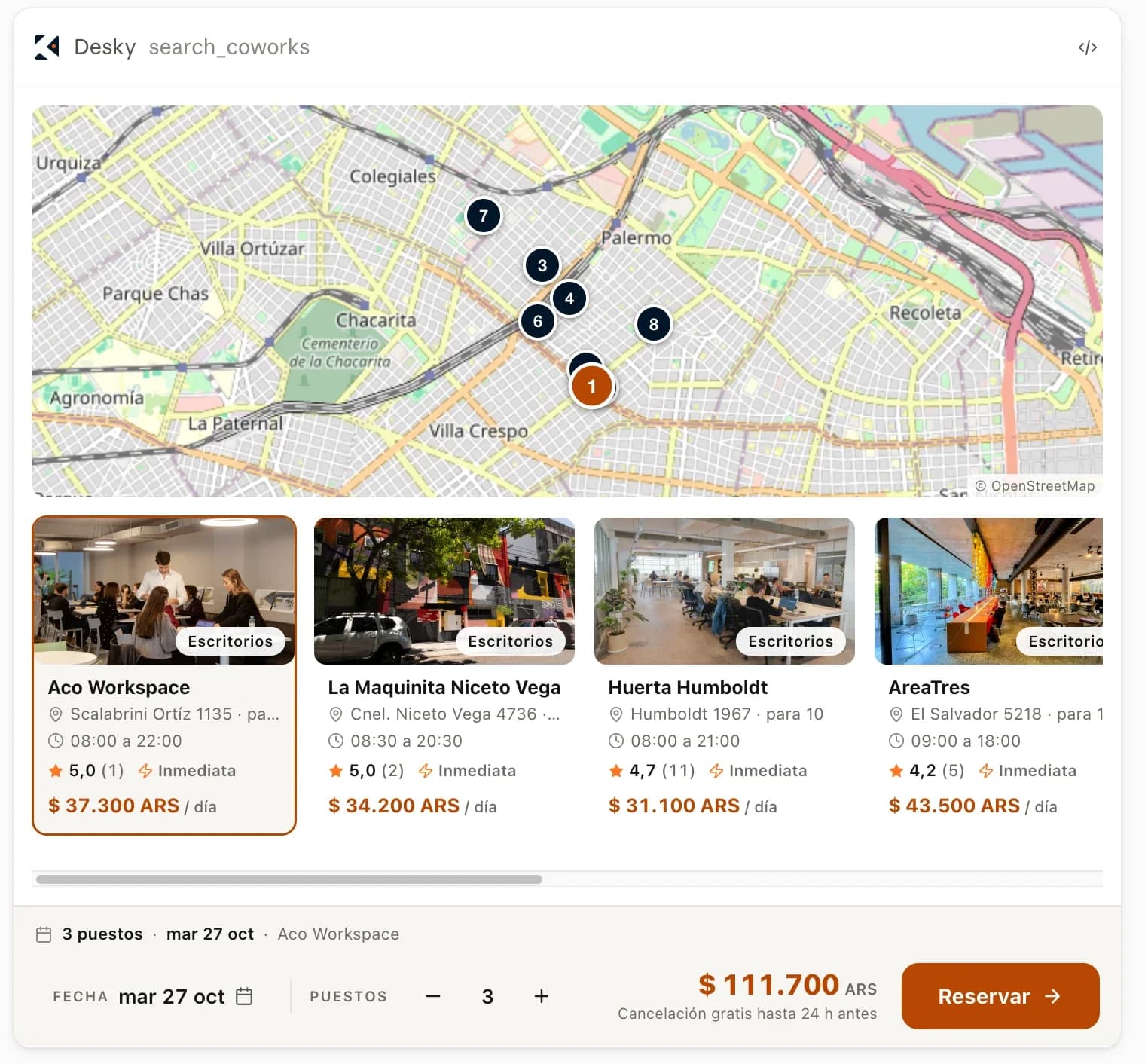
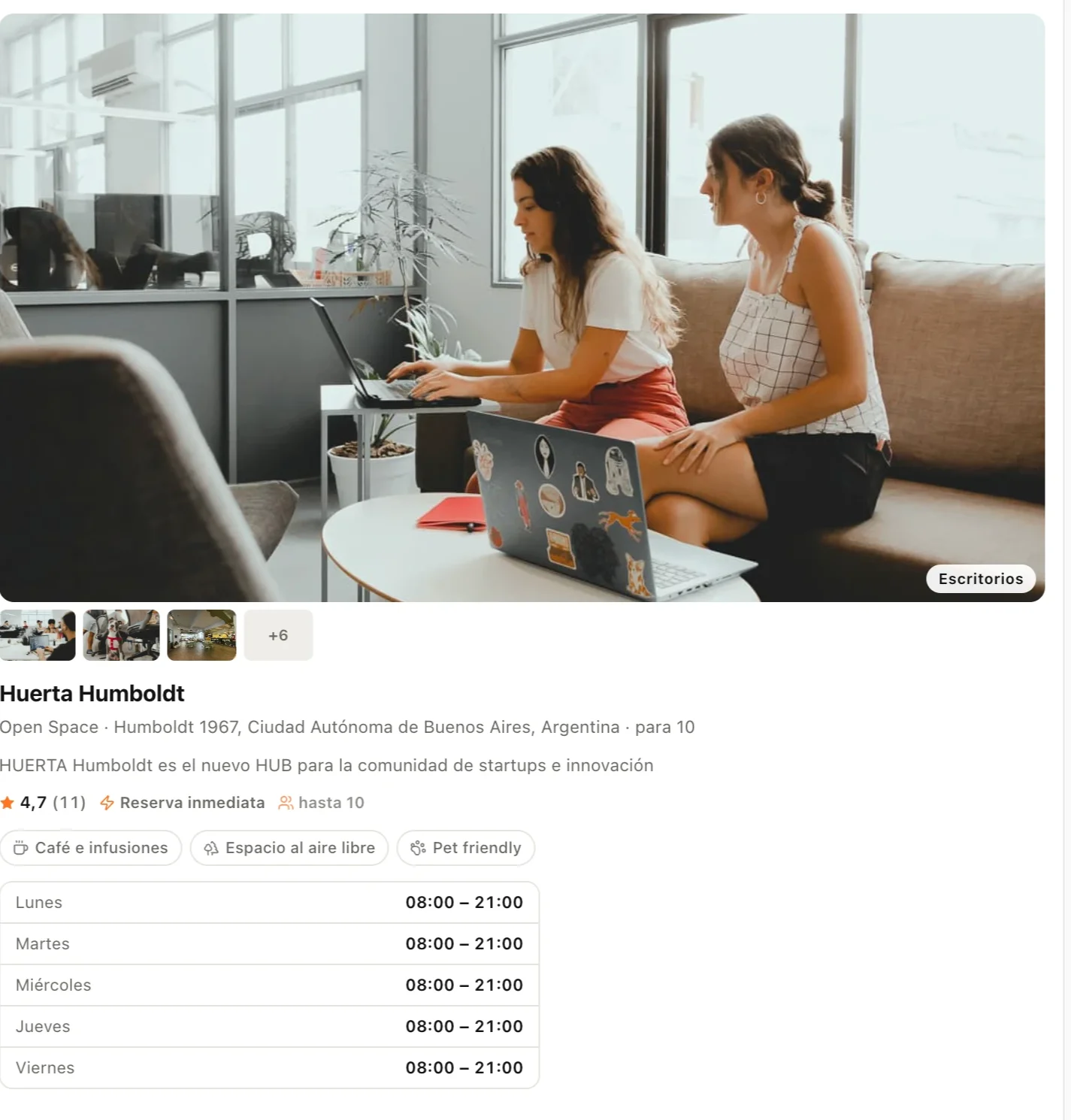
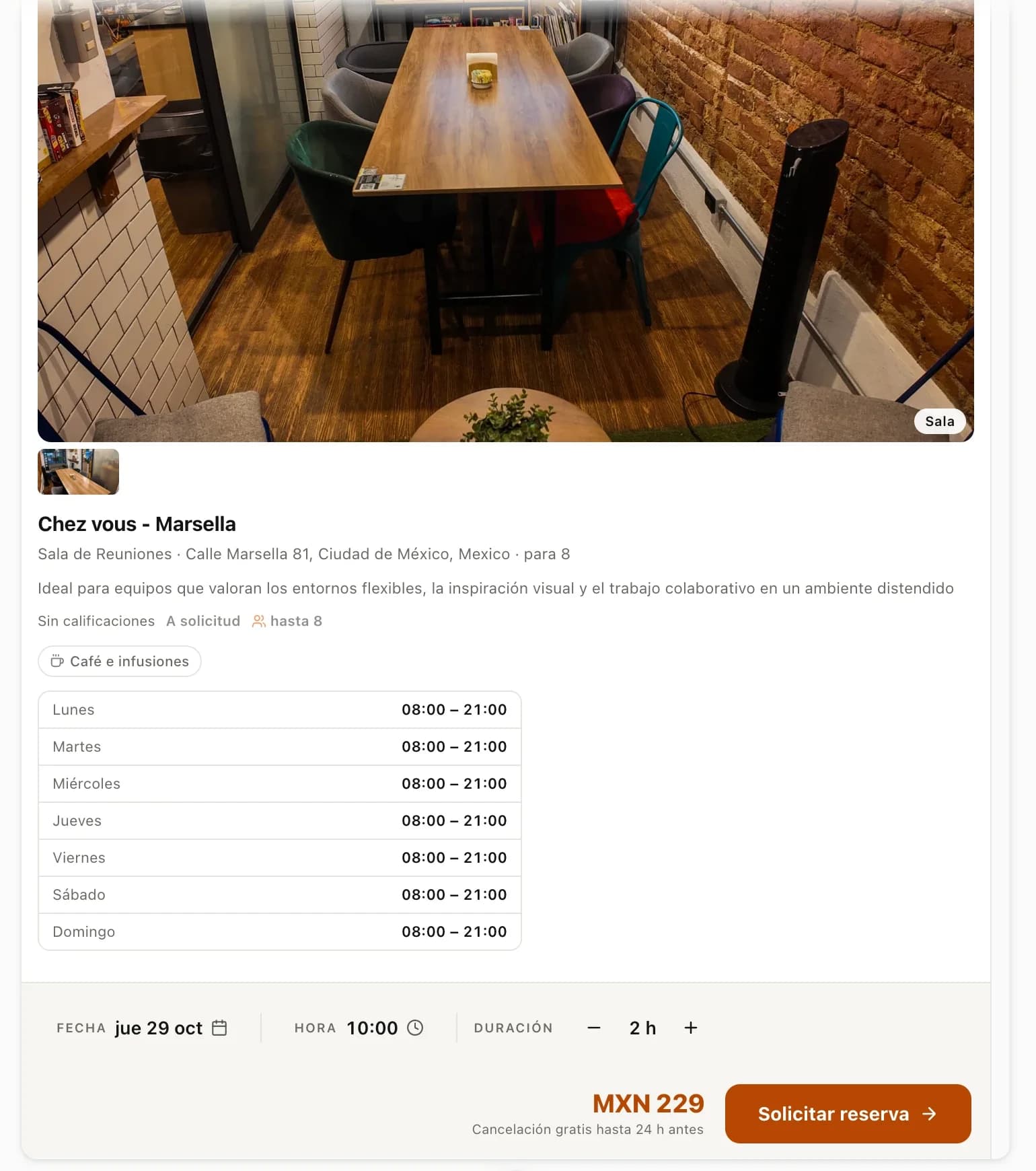
Ready in under a minute
Choose your assistant and follow the steps. The server URL is the same for all of them.
https://www.desky.la/mcpIn Claude
- 1
Open Settings and go to Connectors.
- 2
Choose Add custom connector.
- 3
Name it Desky and paste the server URL.
- 4
In a conversation, turn it on from the + button and ask for what you need.
On Claude's free plan you can add one custom connector.
In ChatGPT
- 1
Open Settings and go to Apps & Connectors.
- 2
In the advanced settings, turn on developer mode.
- 3
Create a connector, name it Desky, paste the server URL and choose no authentication.
- 4
In a conversation, turn it on from the tools menu and ask for what you need.
ChatGPT's developer mode depends on your plan.
In Cursor
Add this to ~/.cursor/mcp.json and restart Cursor.
{
  "mcpServers": {
    "desky": {
      "url": "https://www.desky.la/mcp"
    }
  }
}
In VS Code
Add this to .vscode/mcp.json in your project and start the server from the file.
{
  "servers": {
    "desky": {
      "type": "http",
      "url": "https://www.desky.la/mcp"
    }
  }
}Common questions
How much does it cost?
Nothing. Connecting Desky to your assistant and searching is free. You only pay for the booking you confirm on desky.la, at the same price as on the site.
Do I need a Desky account?
Not to search, check availability or get a quote. You do need one to confirm the booking on desky.la.
Which countries does it cover?
The same as Desky: Argentina, Uruguay, Chile, Mexico, Brazil, Colombia, Peru, Ecuador, the Dominican Republic, Spain and the United States.
What does Desky see from my conversation?
Only what the assistant sends to search: city, dates, number of people and budget. Desky does not see the rest of the conversation and does not ask for personal data.
Can it book or charge on my behalf?
No. The assistant only looks things up. To book, it gives you a link to desky.la with everything filled in, and there you see the total and confirm.
How do I disconnect it?
From your assistant's settings: in Claude, under Connectors; in ChatGPT, under Apps & Connectors. Remove Desky there.
Your next coworking space, one message away
Connect Desky once and ask your assistant for spaces whenever you need them.